Best Streaming Device for 4K | Detailed 4K Device Comparison
Quick overview: what to expect from the best streaming device for 4k
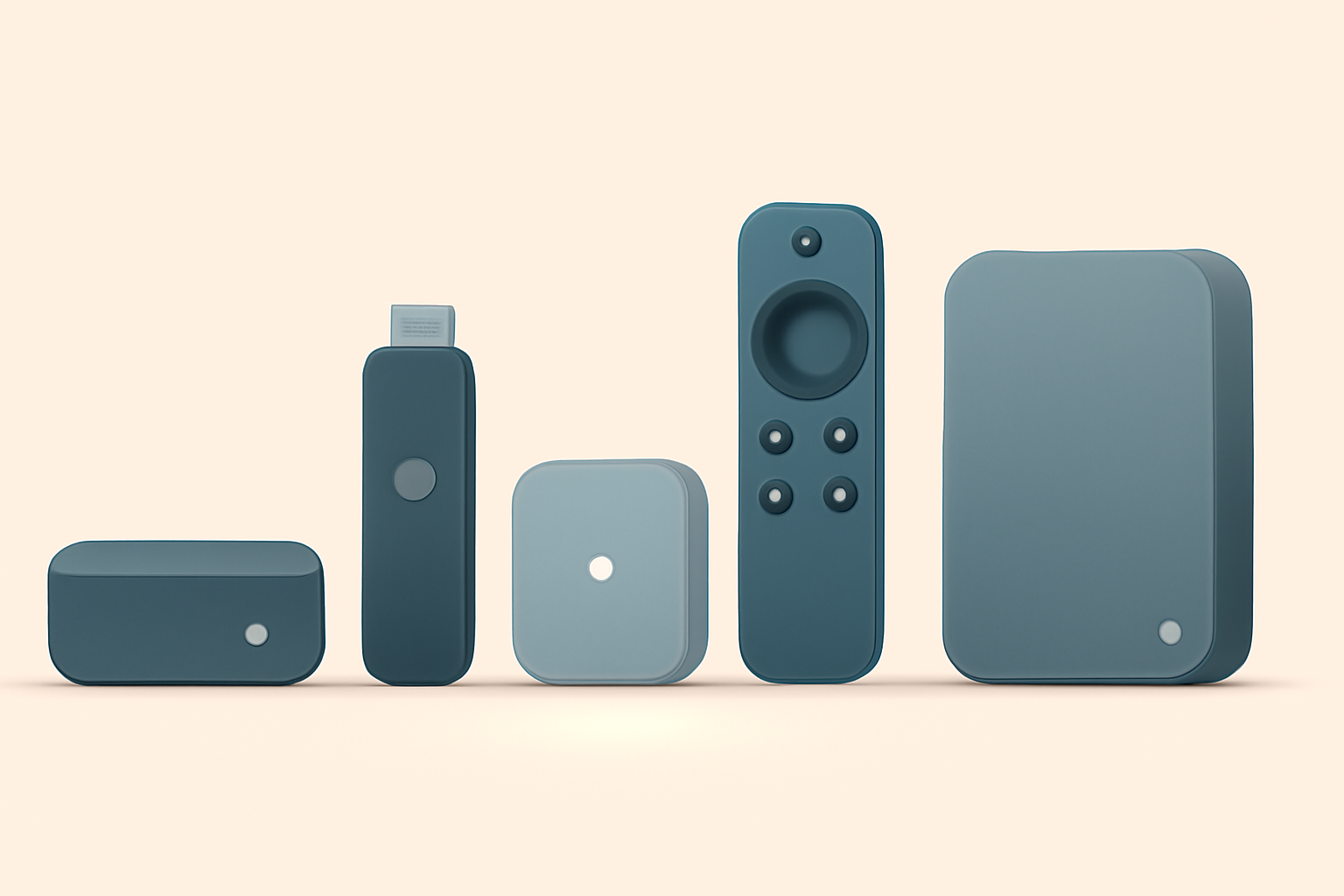
If you want reliable 4k streaming with strong HDR support, quick app launches, and a solid user experience, picking the best streaming device for 4k depends on a few key factors. You should look for HDR formats supported by your television, the breadth and quality of apps you care about, and how much you value features like voice control, offline downloads, or gaming capabilities. In this guide we compare five top players in the 4k space: the Fire TV Stick 4K Max, Apple TV 4K, Nvidia Shield, Roku Ultra, and Chromecast with Google TV 4K. Each device has its strengths, and the right pick often comes down to your ecosystem, app preferences, and budget. For instance, if you already own an iPhone or other Apple gear, Apple TV 4K offers tight integration with iTunes and Apple TV+. If you want a developer friendly platform with strong streaming and gaming features, Nvidia Shield has long been a standout. For a simple interface with broad app support and strong performance, Roku Ultra is a strong choice. The Chromecast with Google TV 4K emphasizes a strong discovery experience and easy casting from Android devices. And the Fire TV Stick 4K Max blends a wide app library with a familiar Amazon-centric interface. In the sections that follow we break down HDR formats, speed, apps, and value so you can decide which is the best streaming device for 4k for your setup. For practical guides to setup and troubleshooting on specific devices you can check our Fire TV Stick Setup for Streaming: The 10-Minute Complete Guide and our Chromecast with Google TV: Setup and Casting, Explained. If you want a broader look at how modern devices compare, see our Best streaming device 2026 guide to top options.
HDR formats and picture quality across the five devices
HDR support explained
4k televisions may support several HDR formats. The most common are HDR10, HDR10+, Dolby Vision, and HLG. Most 4k devices strive to provide at least HDR10, but Dolby Vision support is the differentiator for some content and apps. The exact support will depend on the streaming app and the source file, not always the device alone. Always confirm that your primary streaming apps support the HDR formats you care about, since some apps implement HDR differently or only on select content.
Device by device HDR and related features
- Fire TV Stick 4K Max: Strong HDR support across many apps and content types. Great for those who want a compact stick that still handles higher bitrates well. Also benefits from the broader Amazon ecosystem including Prime Video and Alexa voice control. For users who want to keep content discovery simple, the Fire TV interface remains straightforward and search friendly. You can learn more about setup and performance in our related guides like Fire TV Stick Setup for Streaming: The 10-Minute Complete Guide.
- Apple TV 4K: Known for solid HDR support, often with excellent Dolby Vision handling when paired with a compatible TV. The integration with other Apple services is a plus for households already using iPhones or Macs. See official product details at Apple’s site for the latest specs.
- Nvidia Shield: This is one of the most flexible options for HDR and streaming quality, especially for users who customize settings or run Android TV. The Shield also supports gaming streaming which can be a benefit if you value performance. Official site details are on Nvidia’s Shield pages.
- Roku Ultra: Strong performance with broad HDR support across many streaming apps. Roku’s interface is user friendly and updates regularly.
- Chromecast with Google TV 4K: HDR formats are well supported, and the Chromecast approach emphasizes ease of use with Google TV’s recommendation engine. The set up and initial experience are often highlighted in setup guides and reviews on the site.
App availability and ecosystem
- Fire TV Stick 4K Max: Large app library, including streaming, live TV apps, and games from the Amazon ecosystem.
- Apple TV 4K: Strong app lineup with popular streaming services and Apple originals via Apple TV+.
- Nvidia Shield: Wide Android TV app catalog with access to Google Play and many sideload options for power users.
- Roku Ultra: Large, mature channel store with a heavy emphasis on ad supported and paid apps alike.
- Chromecast with Google TV 4K: Google Play movies and TV plus a broad set of apps, with a focus on casting from mobile devices as well as built in search. For deeper Chromecast knowledge, see Chromecast with Google TV: Setup and Casting, Explained.
Speed, performance, and how they feel in day to day use
Speed matters most when you want quick launches of apps, snappy navigation, and minimal buffering during high motion scenes. In practical terms this means faster boot times, faster app switching, and smoother menus. The Nvidia Shield often leads in raw performance for Android TV devices thanks to the hardware inside and the ability to push heavier apps and games. The Fire TV Stick 4K Max offers a balance of speed and portability, with fast access to Prime Video and a large app catalog. Apple TV 4K delivers a polished and fluid experience, particularly in an Apple-centric home. Roku Ultra is snappy and straightforward but can lag slightly when many apps are loaded at once. Chromecast with Google TV 4K emphasizes the discovery experience and smooth casting, and many users appreciate the Google TV interface for recommendations.
If you want an in depth look at speed and streaming performance across devices, you might also check our comparative write ups like Fire TV Stick 4K Review: Still the Best Streaming Stick for Most People and our overview of how Chromecast stacks up against Firestick in Chromecast vs Firestick: Which Should You Buy.
Apps, games, and content breadth
- Fire TV Stick 4K Max: The Amazon app store is broad. You can download major streaming apps, plus a range of live TV apps and some gaming experiences. If you rely heavily on Prime Video, this can be a strong fit.
- Apple TV 4K: App availability is strong, including many popular streaming services and a top notch gaming catalog with Apple Arcade. If you use a lot of Apple devices, the smooth AirPlay experience on this device is a plus.
- Nvidia Shield: The Android TV ecosystem gives you access to Google Play apps, many streaming services, and the potential to sideload apps for more control.
- Roku Ultra: Roku channels are straightforward, and the platform emphasizes a broad library of free and paid apps with a widely used search feature.
- Chromecast with Google TV 4K: Google TV interface shines when you want to find content across apps and services quickly. The emphasis is on discovery and voice search with Google Assistant built in.
Price and value: where each device sits
- Fire TV Stick 4K Max: A compact device that balances price with performance, ideally suited for households new to streaming devices or those who want a budget friendly option without sacrificing HDR support and app breadth.
- Apple TV 4K: Generally positioned as a premium option. If your home already uses Apple devices, the value comes from integration and the strong app experience.
- Nvidia Shield: Tends to be on the higher end of the price spectrum, but many users value the performance and flexibility for Android TV.
- Roku Ultra: A mid to high tier device with a focus on ease of use and a broad app library. Pricing usually aligns with premium streaming devices but without some of the integration breadth you see on Apple’s platform.
- Chromecast with Google TV 4K: Usually priced to compete with other mid range devices, offering strong value thanks to Google TV’s discovery features.
For a compact comparison of core specs and features see the following table. It helps to think about where you place value: HDR breadth, app selection, or ecosystem ties.
| Device | HDR formats supported | Core interface/OS | App breadth | Voice control | Typical price class |
|---|---|---|---|---|---|
| Fire TV Stick 4K Max | HDR10, HDR10+, Dolby Vision (where supported) | Fire OS, strong with Alexa | Broad across major services | Alexa voice remote | Budget to mid range |
| Apple TV 4K | HDR10, Dolby Vision | tvOS, polished | Excellent, strong on streaming and Apple services | Siri remote | Premium |
| Nvidia Shield | HDR10, Dolby Vision (where supported) | Android TV | Very broad via Google Play | Google Assistant | High mid range |
| Roku Ultra | HDR10, Dolby Vision (on newer models) | Roku OS | Large catalog, strong live TV options | Voice remote with search | Mid to high |
| Chromecast with Google TV 4K | HDR10, Dolby Vision (where supported) | Google TV | Wide app catalog, strong casting | Google Assistant | Mid range |
How to choose the best streaming device for 4k in your home
- If you value tight Apple integration and a polished user experience, the Apple TV 4K is a solid bet, especially if you already own other Apple devices. It also tends to perform superbly in 4k with compatible HDR formats. For more on setup specifics, you might read our Apple TV 4K Setup for Streaming: Settings That Actually Matter guide.
- For fans of Android TV and a high degree of control, Nvidia Shield remains a top pick for power users and families who want gaming alongside streaming. It is often cited as a performer in HDR rich scenes and 4k content.
- If you want something simple, fast to learn, and with a wide array of channels, Roku Ultra is a practical choice. Its channel store is well organized and its interface does not demand much learning time.
- For a mix of easy casting and strong discovery across many apps, Chromecast with Google TV 4K stands out. The integrated Google ecosystem makes it easy to find content quickly. You can explore setup tips in our Chromecast focused guide Chromecast with Google TV: Setup and Casting, Explained.
- The Fire TV Stick 4K Max delivers a good balance for most households, offering a compact form factor with a solid app ecosystem and fast performance for its size. If you want to learn more about the Fire TV line, our Fire TV Stick Setup for Streaming: The 10-Minute Complete Guide can help.
If you are evaluating the devices for a specific TV or setup, check how each device handles your favorite HDR content providers and how your usual streaming apps perform on them. Some HDR formats may require updates or a specific app version to render the best visuals. You can also explore broader device comparisons through our guide to the top options in 2026 and see how each device stacks up against the rest in real world use. For a broader sense of how 4k streaming works, read our piece on 4K Streaming Explained: What You Need and When It’s Worth It.
Practical setup tips for best results
- Ensure your TV and device are connected via a reliable HDMI 2.0 or HDMI 2.1 port, and that you enable the preferred HDR option in both the device settings and the TV picture settings.
- Use a wired ethernet connection when possible for the device to minimize buffering and maintain consistent 4k quality, especially if your Wi Fi network is busy.
- If you experience buffering on any device, check our guidelines for general streaming speed improvements in articles like Fire TV Stick Buffering: 9 Fixes That Actually Work and Firestick not connecting to wifi: practical fixes.
- For privacy minded users, consider reviewing the privacy controls each platform offers. You can also pair your device with a privacy oriented VPN where supported. If you want a broader privacy perspective, see our VPN & Privacy section.
Budget based recommendation
- Best value pick for tight budgets: Fire TV Stick 4K Max. It offers strong HDR support, a solid app library, and quick performance at a cost that remains accessible for most households. It also works well with the broader Amazon ecosystem and Alexa voice control.
- Best all around for Apple ecosystem: Apple TV 4K. If you already own iPhone or Mac devices, the integration and quality of the user interface may justify the premium price.
- Best for power users and streaming purists: Nvidia Shield. It is a strong performer with flexible Android TV access and a broad app catalog.
- Best simple streaming with a solid app library: Roku Ultra. It emphasizes ease of use and a consistent experience across many apps, which can be ideal for households that want straightforward access to live TV and streaming services.
- Best for Google heavy households: Chromecast with Google TV 4K. The Google TV interface and casting features are a natural fit for users who rely on Google services.
Real world tips and references
- If you want to dive deeper into setup and performance across devices, consider reading our broader comparison guide here: Best streaming device 2026 guide to top options.
- For an in depth look at how Chromecast stacks up against Firestick, see Chromecast vs Firestick: Which Should You Buy.
- For Fire TV specifics including setup and troubleshooting, our guides on Fire TV Stick 4K setup and common buffering issues are helpful: Fire TV Stick Setup for Streaming: The 10-Minute Complete Guide and Fire TV Stick Buffering: 9 Fixes That Actually Work.
Bottom line
Choosing the best streaming device for 4k is a balance of HDR support, feature needs, and how much you value a clean ecosystem versus raw flexibility. If you want a simple, budget friendly option with strong HDR support and a large app library, the Fire TV Stick 4K Max is an excellent pick. If you need deep iOS integration or a premium, polished interface, Apple TV 4K earns its premium price. For a combination of flexibility and power, Nvidia Shield remains a top choice for enthusiasts. Roku Ultra is a standout for straightforward streaming with a broad catalog, and Chromecast with Google TV 4K excels in content discovery and casting. Evaluate your TV’s HDR capabilities, your app preferences, and your budget to decide which device fits best in your living room.
Bottom line conclusion: the best streaming device for 4k is the one that most closely matches your content, ecosystem, and budget. If you want a compact, versatile pick with broad support and straightforward setup, the Fire TV Stick 4K Max often wins for many households. If you want the most smooth ecosystem experience and pixel perfect integration with Apple devices, the Apple TV 4K is worth the premium. For those who want maximum control and the strongest Android TV experience, Nvidia Shield is hard to beat. If you value simplicity and a broad live channels orientation along with a straightforward search, Roku Ultra remains very compelling. And if your day to day is tied to Google apps and casting from mobile devices, Chromecast with Google TV 4K is a strong match.
Notes: For more hands on setup steps, see the linked internal guides on Android TV and Apple TV. You can also explore our Chromecast guide to see how Google TV handles discovery and casting in real world use. For a broader context on 4k streaming capabilities and what matters most to viewers, see our explainer on 4K streaming and when it is worth it.
Frequently Asked Questions
Which device is best for HDR 10 or Dolby Vision?
All five options support common 4k HDR formats, but support levels vary by device and app. Check the HDR capabilities in each device’s official specs.
Do any of these devices include a built in VPN option?
Some devices support VPN apps via the app store, but for privacy and security it is best to run a VPN on your router or a compatible app in the device. Always verify the latest app availability.
Is a faster streaming device worth it for casual viewing?
If you regularly use 4k streaming, play games, or run heavy apps, a faster device reduces buffering and improves app performance. For casual viewing, saving money may be more appealing.
This is an independent editorial site. We do not host, sell, or distribute any streams or subscriptions. Always verify that a service is properly licensed in your country. Some links may earn us a commission at no cost to you.