Apple TV 4K Review: Is the Premium Worth It
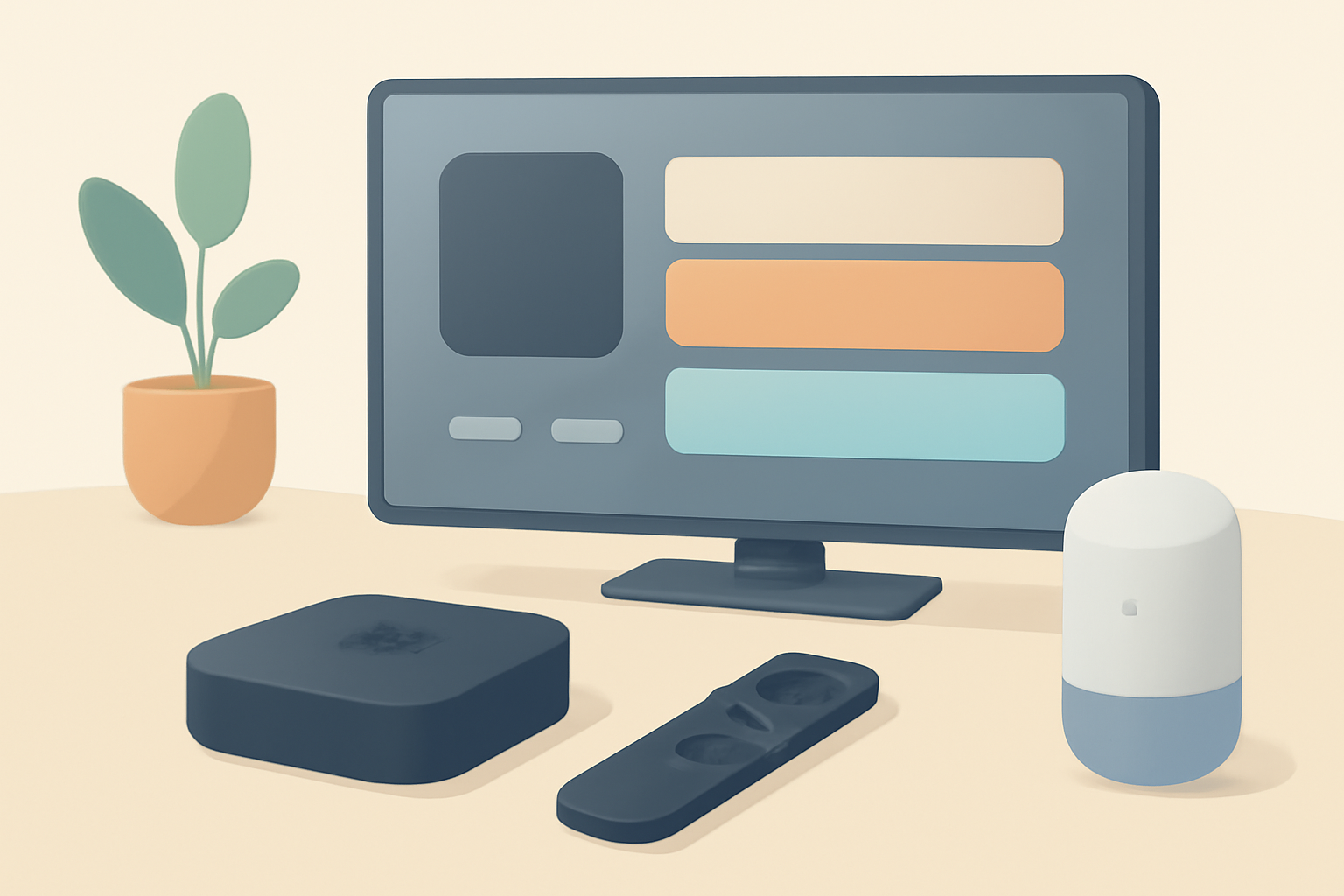
Apple TV 4K review: build, tvOS, app support, Siri remote, HomeKit, price vs Firestick and Roku. This guide breaks down what you get with Apple’s flagship streaming box and who it suits best. You will see how the device feels in everyday use, how the remote responds, and whether the software ecosystem justifies the premium. If you are weighing options, you can also check our Apple TV 4K Setup for Streaming: Settings That Actually Matter and compare to other top options in our Best streaming device 2026 guide to top options.
Descriptive build and design
The Apple TV 4K is compact and understated. It comes with a small brick power adapter and the familiar Siri remote. Unlike some rivals that rely on a more open hardware approach, Apple keeps the architecture tight, which translates to stability and steady firmware updates. The device supports 4K HDR with Dolby Vision and Dolby Atmos audio on compatible TVs and sound systems. In practical terms this means you should expect sharp picture quality and immersive sound when paired with a capable display and audio setup.
The remote has a glass-like touch surface and physical buttons for power, mute, menu, and volume control. The trackpad on the top of the remote can be a little sensitive when navigating menus, but most users adapt after a short period. If you are upgrading from an older Apple TV or switching from another ecosystem, the remote layout might feel familiar, but there is a learning curve for some of the gesture controls. For a hands-on comparison, see our note on how to set up Apple TV by following the steps in Apple TV 4K Setup for Streaming: Settings That Actually Matter, which walks through pairing, control preferences, and privacy settings.
tvOS experience and app support
TvOS is a strength for Apple TV 4K. The platform is polished, responsive, and visually coherent. The home screen groups apps by function and provides a solid search tool that indexes content across apps and supported services. The included App Store for tvOS has a generous catalog of streaming apps, games, and utilities. The reliability of app launches is notable; you rarely experience long loading times when starting a show or switching between apps.
The breadth of official apps matters a lot here. Apple TV supports major streaming services like Netflix, Disney+, Hulu, Amazon Prime Video, and HBO Max, among others. It also supports Apple’s own services such as Apple TV+, which is a natural fit for those deeply invested in the Apple ecosystem. If you are curious about alternative setups, you can compare experience and setup details in related reads such as Chromecast with Google TV: Setup and Casting, Explained or Fire TV Stick 4K Review: Still the Best Streaming Stick for Most People.
One caveat is some streaming services restrict advanced features on tvOS. This can influence things like offline downloads or certain audio configurations on non-Apple devices. However, for most mainstream apps, Apple TV 4K delivers a consistent experience with minimal hiccups. For users who rely on an extensive library and progressive content discovery, the curated experiences in tvOS can feel more coherent than the sometimes chaotic app dashboards found on other platforms.
Siri remote and navigation
The Siri remote is central to the Apple TV 4K experience. It supports voice queries, which makes searching for content quick and intuitive. You can ask for a title, actor, or genre, and results are typically ranked in a helpful way. The physical buttons provide a reliable way to navigate when you prefer not to speak. In practice, most households move to a mixed method, using voice for searches and the remote for precise navigation.
If you are upgrading from an older remote, you may appreciate the improved build and calibration on the new model. The power and volume controls on the remote can also be used with some TVs for basic control without needing a separate universal remote.
For privacy minded readers, the Siri integration is a reminder to review mic access and usage settings. Apple TV settings include options to limit what is sent to Apple for voice requests. You can manage these in Settings under Siri and Search, which is worth reviewing if you want tighter control over data.
HomeKit integration and smart home control
HomeKit is a compelling reason to pick Apple TV 4K for many smart home users. The device can act as a hub for HomeKit scenes and automations, especially when there are HomeKit accessories that you want to control from the TV screen. For some homes, this replaces a separate hub in the living room and centralizes scenes like turning lights on or adjusting thermostats when you start a movie.
If you rely on HomeKit, you will likely find Apple TV 4K to be a natural centerpiece for a living room automations. On the other hand, if your smart home is built on a different platform, you may find better value by focusing on devices that bridge across ecosystems. A quick consult with our Android TV Setup for Streaming: The Complete Guide guide may help you compare how HomeKit-centric setups differ from more Google or Amazon oriented ecosystems.
Performance and user experience
Apple has tuned the hardware to deliver smooth transitions, quick app launches, and consistent streaming quality. The device handles 4K content with relative ease, and the interface remains responsive even with several apps open in the background. The hardware is designed to stay quiet during use, which helps when you are watching during a movie marathon or late at night.
Netflix, Disney+, and other major apps perform well on Apple TV 4K. The experience tends to be more uniform than on some Android TV sticks that rely on less consistent GPU acceleration. In practice this means fewer freezes and less stuttering during transitions. If you want a snapshot of how Apple TV 4K stacks up against popular options, you can compare general performance with our hands-on notes in Fire TV Stick 4K Review: Still the Best Streaming Stick for Most People and Chromecast vs Firestick: Which Should You Buy.
Price, value, and who should buy
Pricing for Apple TV 4K varies by model and storage. Apple tends to position the device as a premium option, with a focus on performance, ecosystem integration, and long term software support. When weighing value against alternatives like the Fire TV Stick 4K or Roku devices, you should consider a few factors:
- Ecosystem alignment: If you own multiple Apple devices and already subscribe to Apple services, Apple TV 4K can feel natural and cohesive.
- HomeKit usage: For households that want tight smart home control from the TV, Apple’s platform offers a strong, integrated solution.
- App availability and quality: While all major streaming services exist on most platforms, some apps may feel better optimized for tvOS.
For a broader sense of how the device compares to other top options, see our Best streaming device 2026 guide to top options and Chromecast vs Firestick: Which Should You Buy.
Table: Apple TV 4K vs top rivals at a glance
| Feature | Apple TV 4K | Fire TV Stick 4K | Roku Streaming Stick 4K |
|---|---|---|---|
| Resolution support | 4K HDR, Dolby Vision | 4K HDR, HDR10+ | 4K HDR, Dolby Vision |
| Remote | Siri remote with voice | Alexa voice remote | Roku remote with voice |
| App ecosystem | tvOS apps, Apple TV+ | Broad app catalog | Broad app catalog with some OTT limitations |
| Home theater support | Dolby Atmos supported | Dolby Atmos supported on many setups | Dolby Atmos supported on some setups |
| Setup difficulty | Moderate due to ecosystem depth | Quick for most setups | Quick for most setups |
| Price range | Premium | Budget to midrange | Midrange |
App support and media ecosystem
One of the big differentiators is how the device handles apps and content across services. Apple TV 4K has a strong emphasis on official apps and a curated Experience with a focus on quality. Because of the tight integration with Apple services, content from Apple TV+ often feels fast and polished, and the platform generally has a strong stance on app reliability and timely updates.
If your home theater is built around a broader set of services, including non Apple ecosystems, you will want to weigh how much you value Apple’s curated app store versus the universality of apps on Fire TV or Roku. The Fire TV ecosystem has matured and provides great support for streaming sticks with a larger abundance of third party apps. If you are curious about side-by-side capability, you can also read Fire TV Stick Setup for Streaming: The 10-Minute Complete Guide for quick, practical setup steps.
Privacy and security considerations
Apple has a long-standing focus on privacy. With tvOS, you can manage app permissions and control what data is shared for voice queries and search. The setup experience includes privacy prompts that help you decide what to enable. Apple regularly updates the platform to address security concerns and keep apps current. If privacy concerns are central to your buying decision, you might value the transparency and consistent update cadence that Apple provides.
In contrast, other platforms have mixed histories with data collection and feature updates, so you should consider your tolerance for data sharing and how you configure your devices. For broader privacy and streaming topics, you can explore our guide on VPN & Privacy (section) to understand how privacy considerations fit into streaming.
Practical buying guidance
The decision to buy Apple TV 4K should rest on how deeply you are invested in the Apple ecosystem and how much you value HomeKit integration. If you want a polished, stable streaming experience with solid performance and a strong app catalog, Apple TV 4K remains a compelling option. If you want a more Google or Amazon centric setup, you might prefer a Fire TV Stick 4K or a Chromecast with Google TV for their broader cross platform support and often lower price points.
For a quick practical comparison, consider how the two devices you are deciding against perform in your living room. If you already use an iPhone, iPad, or Mac in daily life, Apple TV 4K often feels like a natural extension that can streamline using streaming apps and controlling your home. For those who want more general compatibility and fewer silos, the Fire TV Stick 4K or Roku devices are strong alternatives that provide broad support for a wide range of services without locking you into a single ecosystem.
If you want a structured decision path, read our Best streaming device 2026 guide to top options for a side-by-side framework that includes price points, performance, and app coverage. You can also use our hands-on setup tips in Apple TV 4K Setup for Streaming: Settings That Actually Matter to fine tune features such as disable ad tracking, adjust audio settings, and tailor the home screen to your preferences.
Who this Apple TV 4K is genuinely worth it for
-
Apple device households with heavy use of Apple services and HomeKit where a single, cohesive interface for streaming and smart home control is valued.
-
Viewers who frequently use Apple TV+ and want the best possible integration with other Apple hardware and software.
-
People who prioritize a stable, premium user experience and regular software updates.
-
Home theater enthusiasts who want strong airplay integration and a turnkey solution for your living room.
If you fall into any of these groups, Apple TV 4K can be a strong fit. If not, the premium price may not be justified when you consider a broader ecosystem approach or alternative devices that offer similar 4K streaming without the same ecosystem lock-in. For a broader perspective on price and value, refer to our comparison pieces that pit Apple TV devices against rivals, including Chromecast vs Firestick: Which Should You Buy and Fire TV Stick 4K Review: Still the Best Streaming Stick for Most People.
Real-world use and long-term considerations
In long-term use, you should expect consistent performance and reliable updates from Apple. If you rely on voice search to find content quickly, the Siri remote remains a practical tool. The ecosystem advantages and integration with HomeKit can translate into easier automation and a smoother in-room experience. Consider how often you will upgrade other devices and how that may influence your streaming strategy and the value of a single, well-supported platform.
If you are comparing to other devices, you might find the setup flow on Apple TV is worth more than the initial premium for many users. Weigh that against the often lower price of Fire TV or Roku devices, the broader cross-platform app availability, and the different approach to voice assistants. For practical, hands-on guidance on setting up streaming hardware, check our Fire TV Stick Setup for Streaming: The 10-Minute Complete Guide and Chromecast with Google TV: Setup and Casting, Explained.
Bottom line
Apple TV 4K remains a solid option for customers who want a cohesive Apple-centric streaming experience, strong App Store quality, and solid smart home integration through HomeKit. It is not the cheapest device in its class, but the software polish, long-term updates, and hardware performance justify the premium for the right user base. If your life is already built around Apple products and you value a tightly integrated living room experience, this device is worth serious consideration. If you prioritize broad compatibility and cost efficiency, you may prefer a Fire TV Stick 4K or Roku as a more flexible choice.
Bottom line for Apple TV 4K users: it delivers a coherent, well-supported ecosystem with dependable performance, especially for Apple users and HomeKit households. For everyone else, evaluate how much you value ecosystem depth versus price and cross platform app availability.
Bottom line links to related reading: for setup and optimization tips, see our Apple TV 4K Setup for Streaming: Settings That Actually Matter, and for broader device comparisons, our Best streaming device 2026 guide to top options provides a wider lens on the market.
If you want to dive deeper into live tv streaming and how Apple TV operates within a broader streaming setup, you can explore our Live TV Streaming (section) and Sports Streaming (section) pages for context on service availability and limitations in different ecosystems.
Frequently Asked Questions
Does Apple TV 4K offer better performance than rivals?
This review weighs hardware and software differences to help you decide.
Is Apple TV 4K worth buying for HomeKit users?
The HomeKit integration is a key factor for many buyers.
What about price and value compared to Fire TV Stick 4K or Roku?
We compare features, performance, and platform support to guide a purchase.
This is an independent editorial site. We do not host, sell, or distribute any streams or subscriptions. Always verify that a service is properly licensed in your country. Some links may earn us a commission at no cost to you.