How to Watch Local Channels Without Cable (2026)
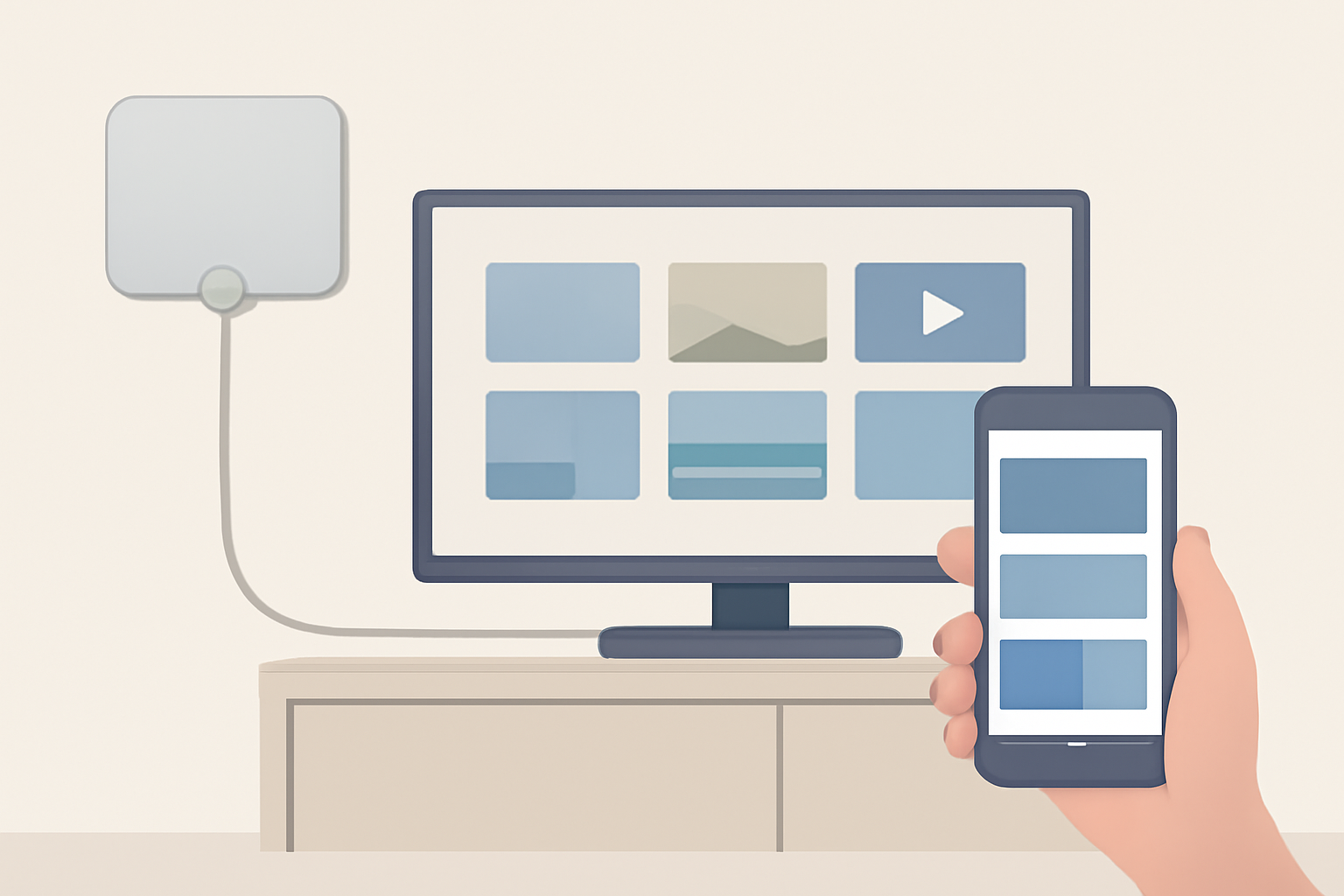
You can watch ABC, CBS, FOX, NBC and PBS without paying a cable company anything. In many cases you can do it free, permanently, for a one-off purchase of about $30.
This guide covers every route, what each actually costs, and which fits your situation, including the awkward cases: no antenna allowed, no internet at all, watching on a phone, and living in Canada or the UK.
The four ways, at a glance
| Method | Cost | Needs internet | Best for |
|---|---|---|---|
| Over-the-air antenna | $20 to $40 once, then free | No | Anyone within range of a transmitter |
| Live TV streaming service | $40 to $90 per month | Yes | Locals plus cable channels, no antenna |
| Free streaming apps | Free | Yes | Local news and casual viewing |
| Network apps directly | Free to $8 | Yes | Catching up on specific shows |
Most households end up combining an antenna with one paid or free service, which covers nearly everything for a fraction of a cable bill.
Method 1: an antenna, the free option most people forget
Local channels are broadcast free over the air. They always have been. Cable companies charge you to retransmit signals already being sent to your home for nothing.
What channels you get
In most US metro areas an antenna picks up ABC, CBS, FOX, NBC, PBS and The CW, plus a long tail of subchannels carrying classic films, news and Spanish-language programming. In a large market that can be 40 to 90 channels. In a rural area, 5 to 15.
Picture quality is often better than cable, because broadcasters transmit a less compressed signal than cable or streaming.
What it costs
A flat indoor antenna is $20 to $40. An amplified or outdoor model is $50 to $150 and reaches further. There is no subscription, ever. That is the whole cost.
Will it work at your address?
Enter your postcode into a coverage tool such as the FCC’s DTV reception maps or AntennaWeb. They show which transmitters you can reach and from which direction, which tells you whether an indoor antenna is enough. Two minutes there saves buying the wrong hardware.
The rules of thumb: mount it as high as you can, face it toward your transmitters, and keep it away from metal and other electronics. A window usually beats an interior wall.
Do I need an antenna at all?
No. If you cannot install one, or reception is poor where you live, use the next method instead. Streaming services deliver locals with no hardware at all.
Setting up an antenna, step by step
The whole job takes about fifteen minutes.
- Check coverage first at your postcode, so you buy the right range of antenna rather than guessing.
- Connect the coaxial cable from the antenna to the port on your TV marked ANT IN, Antenna, or RF In.
- Open the TV’s menu and find Channel Setup, Tuner or Broadcast settings.
- Set the source to Antenna or Air, not Cable. This single setting is the most common reason a scan finds nothing.
- Run Auto Scan or Channel Search. It takes five to ten minutes.
- Reposition and rescan if you are missing channels. Move the antenna higher, or nearer a window facing the transmitters, then scan again. Small movements can add several channels.
Rescan every few months. Stations change frequencies more often than people expect, and a rescan is free.
Method 2: how to get local channels without an antenna
This is the most common follow-up question, and the answer is simple: live TV streaming services carry your local affiliates over the internet.
| Service | Roughly | Locals |
|---|---|---|
| YouTube TV | $83/mo | Yes, most markets |
| Hulu + Live TV | $83/mo | Yes, most markets |
| DirecTV Stream | $87/mo | Yes, strong regional coverage |
| Fubo | $85/mo | Yes, sport-focused |
| Sling TV | $40/mo | Limited, varies by market |
These services negotiate carriage with the local affiliate station in each market, then stream it to subscribers with an address in that area. That is why coverage varies by postcode and why you are asked for one at signup.
Check your specific address on the provider’s site before subscribing. Two houses in the same state can get different local line-ups. Our live TV service comparison goes through the full channel lists.
Sling is much the cheapest at around $40, but also the weakest for locals, so it pairs well with an antenna.
Method 3: free streaming apps
These cost nothing and are entirely legal:
- Pluto TV runs hundreds of live channels including CBS News and NBC News, with local news feeds in some markets.
- Tubi has a large on-demand film and show library plus some live news.
- Roku Channel, Samsung TV Plus and Freevee carry similar free live line-ups.
- Local station apps. Many ABC, CBS, FOX and NBC affiliates run free apps streaming their local news live with no login.
You will not get live prime-time network programming this way, but for news and background viewing it covers a lot for nothing. We list the options in free IPTV: what is legal and what is not.
Method 4: the networks’ own apps
ABC, CBS, FOX and NBC all have apps. The catch is that most need a TV provider login to watch live, which means holding a cable or streaming subscription already.
On demand is more generous: many episodes appear free a day after broadcast. Peacock carries NBC content and Paramount+ carries CBS, both with live local feeds on higher tiers. Our Peacock cost guide covers what is included at each price.
How much does cable actually cost?
Worth putting real numbers to this, because the advertised price is rarely the bill.
A typical US cable package advertises $60 to $80 a month. The actual bill usually lands between $80 and $130 once you add:
- Broadcast TV fee: $15 to $25 a month
- Regional sports fee: $10 to $15 a month
- Set-top box rental: $5 to $10 per box
- DVR service: $10 to $15
These are not taxes and not optional, and they typically rise each year. Across twelve months the gap between the advertised price and the real one is often $400 or more.
Against that, an antenna costs $30 once. A live TV service at $83 with no equipment rental and no contract still undercuts most cable bills, and the cheapest legal routes go lower again.
Is streaming actually better than cable?
Worth answering directly, because the honest answer is not “yes” in every case.
Where streaming wins: no contract, no equipment rental, no installation appointment, cancel any month, and it works on phones and laptops as well as the TV. Prices are transparent, and switching costs nothing.
Where cable still wins: regional sports coverage is often broader, reliability does not depend on your broadband, and there is no buffering during peak evening hours. For households with weak or capped internet, cable can genuinely be the better product.
Where it is a draw: channel counts are now similar between cable and the big live TV services, and so are the headline prices once cable’s fees are included.
The real difference is that streaming unbundles. With cable you buy everything and use a fraction of it. Streaming lets you buy the fraction, which is where the saving comes from, provided you resist subscribing to four services at once.
How to watch TV without cable or internet
With no broadband, an antenna is your only option, and it works perfectly. Over-the-air broadcasting needs no internet whatsoever. Plug it into the TV, run the channel scan in the TV’s menu, and you are finished.
Every streaming route in this guide requires a connection. No service delivers live television without either a broadcast signal or internet.
If your connection is slow rather than absent, an antenna still helps: it carries the locals at full quality while you keep bandwidth for everything else. Our internet speed guide covers what streaming actually needs.
How to get local channels without a cable box
Two different questions hide here.
If you want to keep cable but drop the box rental, most providers now offer an app for smart TVs and streaming sticks that replaces the box. You can often return the hardware and keep the service, removing the rental fee.
If you want to drop the box and the cable, any of the four methods above replaces it. An antenna plugs straight into the TV. Streaming services run as apps on a Firestick, Roku, Apple TV, Chromecast or the smart TV itself.
Watching on a phone, tablet or computer
Live TV streaming services include iOS, Android and browser apps in the subscription, so local channels work anywhere in your home market. Away from home, some local feeds are restricted for rights reasons.
Free apps such as Pluto TV and Tubi work the same across devices, and local station news apps are usually the best free phone option.
An antenna can also feed phones and laptops through a networked tuner such as an HDHomeRun, which puts over-the-air channels onto your home wifi.
Local sports and the blackout problem
This is where cord-cutters most often get caught out, so it is worth flagging clearly.
Local and regional sport is the one category where cutting the cord can genuinely cost you something. Regional sports networks carrying your local NHL, NBA or MLB team are expensive, are not carried by every service, and are subject to blackouts based on your location.
If a specific team is your reason for wanting local channels, check that team’s rights holder before subscribing to anything. Our sports streaming comparison maps leagues to services, and the NHL and MLB guides cover blackouts in detail.
Games on the big national networks are broadcast free over the air, so an antenna covers a good share of NFL and major events at no cost.
Canada and the UK
Canada. Over-the-air works the same way, with CBC, CTV and Global free in most cities, though coverage thins outside major centres. Canadian streaming options differ from American ones and most US live TV services are unavailable there.
UK. Terrestrial television is Freeview, free after buying an aerial or a Freeview box, carrying BBC, ITV, Channel 4 and Channel 5 plus dozens more. Freely and Freesat cover similar ground over internet and satellite.
One important difference: in the UK you need a TV Licence to watch or record live television by any method, including streaming, and to use BBC iPlayer at all. That applies regardless of how you receive the signal.
Which should you choose?
- Locals only, cheapest possible: antenna. $30 once, free forever, no internet needed.
- Locals plus cable channels, no antenna: YouTube TV or Hulu + Live at around $83.
- Tight budget: Sling at $40 plus an antenna for the locals it misses.
- No internet: antenna, and it is the only option.
- News and casual viewing: free apps, at no cost.
The setup most people settle on is an antenna plus one streaming service, covering local channels, prime time and on demand for well under a typical cable bill.
Bottom line
Local channels are free to receive. That is the fact the cable industry would rather you did not act on. About $30 of hardware gets you ABC, CBS, FOX, NBC and PBS permanently, often at better quality than cable, with no bill and no contract.
If an antenna will not work where you live, a live TV streaming service delivers the same channels over the internet with no hardware at all. Either way, there is no reason to keep paying a cable company for signals already being broadcast to your home for nothing.
Sources
Frequently Asked Questions
How can I watch local channels without cable?
There are four routes. An over-the-air antenna is free forever and gives the best picture. A live TV streaming service such as YouTube TV or Hulu + Live carries your local affiliates over the internet. Free apps like Pluto TV and Tubi carry some local news. And each network has its own app, though most require a TV provider login for live viewing.
How do I get local channels without cable or an antenna?
Use a live TV streaming service that includes local affiliates in your area, such as YouTube TV, Hulu + Live TV, DirecTV Stream or Fubo. They deliver your local ABC, CBS, FOX and NBC stations over the internet, so no antenna is needed. Check your postcode on their site first, because local coverage varies.
Can I watch TV without cable and without internet?
Yes, but only with an antenna. Over-the-air reception needs no internet connection at all. Every streaming route requires broadband, so if you have neither cable nor internet, an antenna is your only option.
How much does cable actually cost per month?
Typical US cable packages run around 80 to 130 dollars a month once equipment rental, broadcast TV fees and regional sports fees are added. Those fees are often 25 to 40 dollars on their own, which is why the advertised price and the final bill rarely match.
Is it legal to watch local channels with an antenna?
Completely. Over-the-air broadcasts are free to receive in the US, Canada and most other countries, and you own the antenna. In the UK you still need a TV Licence to watch live television by any method.
Can I get local channels on my phone or computer?
Yes. Live TV streaming services include iOS, Android and browser apps, so your local channels travel with you inside your home market. Many local station apps also stream their news free without a login.
This is an independent editorial site. We do not host, sell, or distribute any streams or subscriptions. Always verify that a service is properly licensed in your country. Some links may earn us a commission at no cost to you.